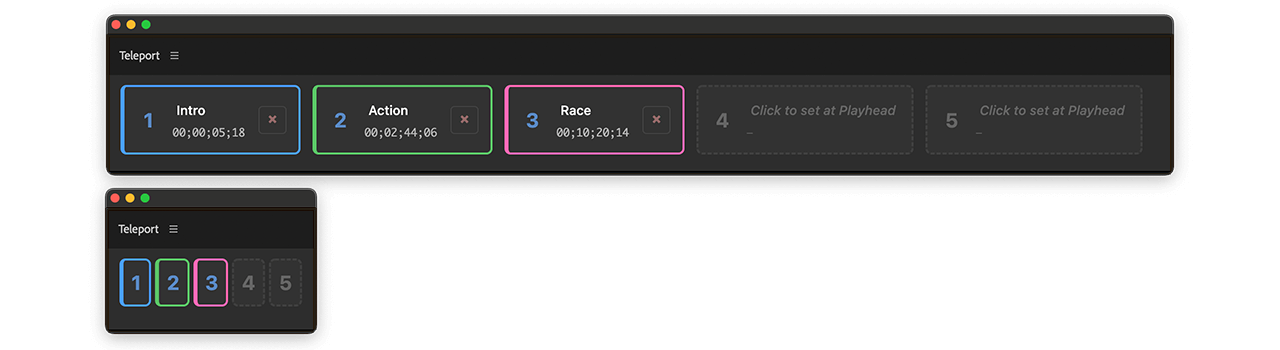
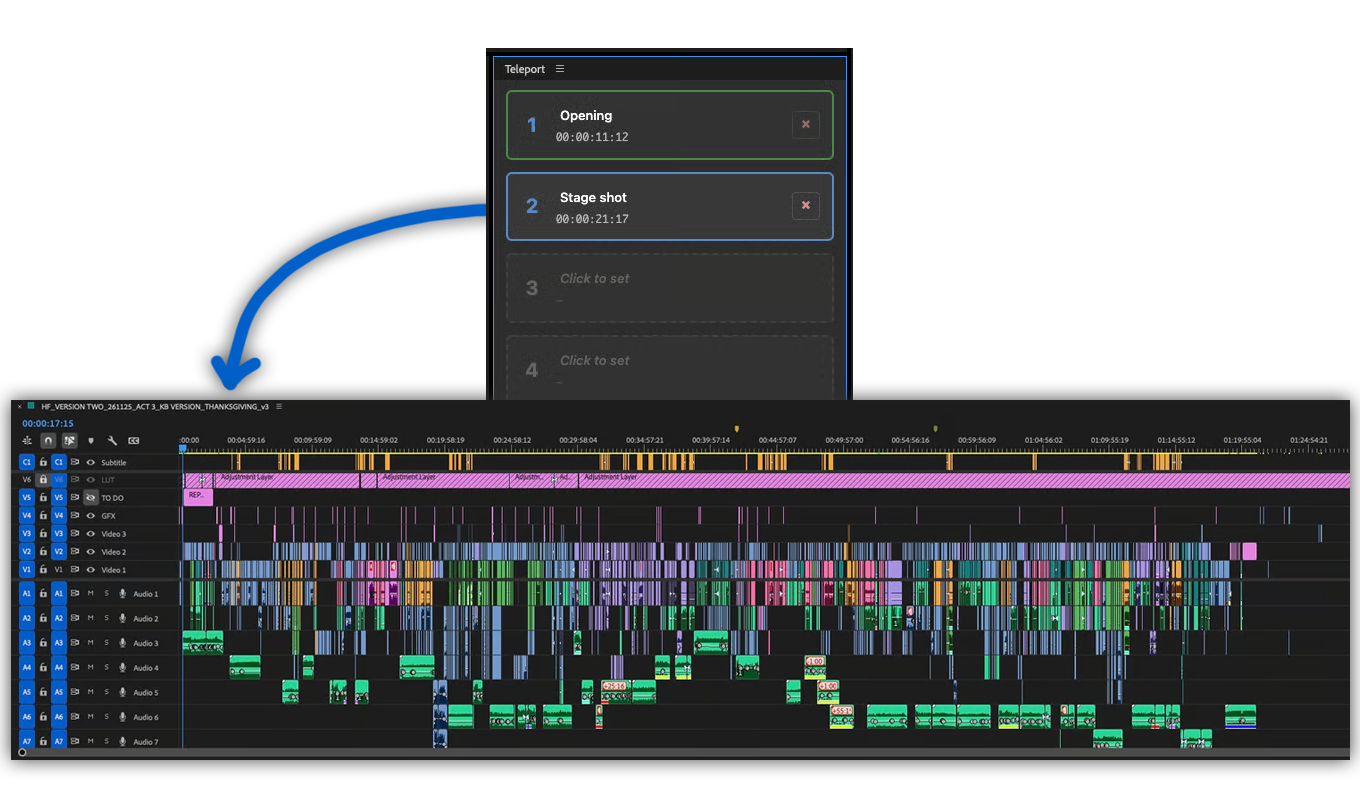
If you've ever worked with a director who wants to quickly grab a shot from scene two and move it to scene twelve, then you know what to do. You have to zoom out, scroll across a lot of clips to find the shot, move it, and then...where was I again? The Teleport plugin for Premiere Pro solves this issue.
pro Adobe Premiere CC 2022+
Pro Windows a MacOS.
Teleport lets you drop a digital anchor anywhere in your timeline, allowing you to instantly jump back to that exact frame. No more searching for colored markers or memorizing timecodes!
How it works:
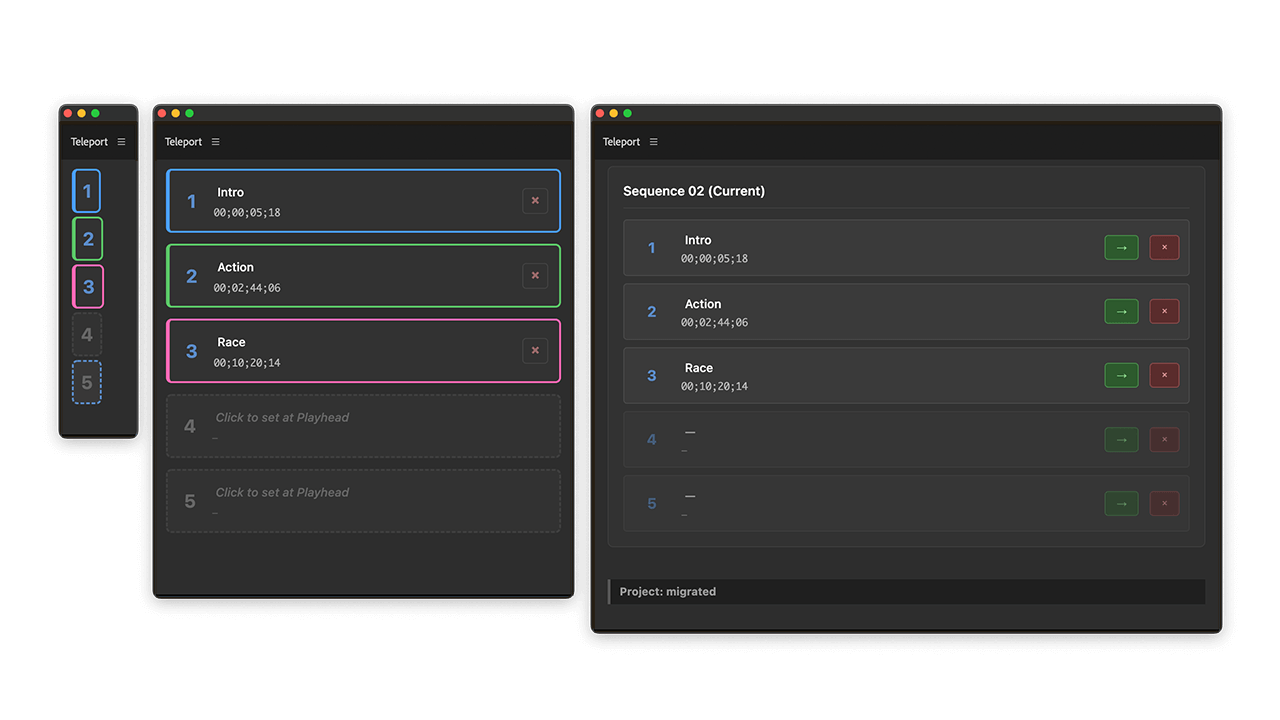
You can choose in between five different panel modes:
The "All timelines" view allows you to see all the anchors across your different project sequences, and enables you to easily jump to a position in other sequences.
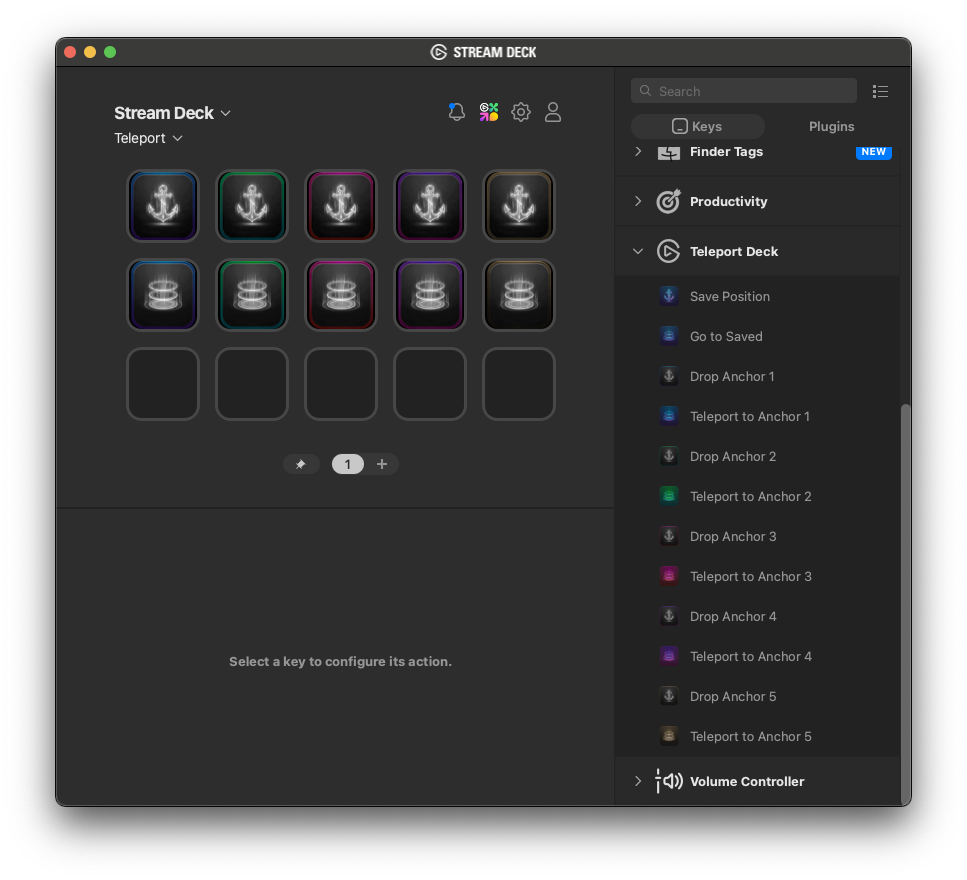
Download and install the Teleport Stream Deck add-on by opening the file with Stream Deck. Then, drag and drop the Anchor and Teleport buttons into your desired positions in the layout. You are now ready to start using the plugin.
We offer three types of licenses. The single-user license is ideal for freelancers who want to use the software on one or two computers. This license is tied to a single account. For companies, we offer a team license, which is bound to the company. The number of licenses can be chosen upon purchase, with a minimum of three licenses. We also offer an enterprise option. Please contact our sales team for more information. All licenses are perpetual.
Poznámka: Samotný zásuvný modul je v současné době k dispozici pouze v angličtině.
Budete přesměrováni do zabezpečené pokladny „Paddle“. Paddle.com je Merchant of Record.
Přenesení daňové povinnosti: Pokud nakupujete pro firmu a máte DIČ, můžete v některých zemích využít režim přenesení daňové povinnosti. Na stránce pokladny klikněte po výběru země a PSČ vlevo na "Add VAT ID".
Licence Business Team nelze zakoupit v Adobe Exchange Store.
Máte-li jakékoli dotazy nebo požadavky na funkce, obraťte se na náš tým podpory. Rádi vám pomůžeme!
To install the plugin, use an ZXP Installer like ZXP Installer from AE Scripts or Anastasiy Extension Manager. These installers are free.
If you already have the plugin installed and want to install a new version of the plugin, you can simply run the new installer. It is not necessary to uninstall the old version, the new one will overwrite everything.
You can activate the plugin panel in Premiere Pro menu under "Window > Extensions > Teleport".
Download and install the Stream Deck add-on to your Stream Deck application. Then, drag and drop the Anchor and Teleport buttons into their desired positions in the layout. If set up correctly, it should work instantly with the Premiere Pro panel.
If no clip is selected in the Timeline when you drop an anchor, Teleport will record the current timecode at the playhead's position.This will teleport you back to the same sequence timecode location each time.
If a clip is selected, the source timecode and clip name will be stored in the anchor. You will then be teleported back to that position within the clip, no matter where it has been moved in the timeline. If the clip has been deleted, Teleport will issue a warning. If the clip has been trimmed to remove the anchor timecode from the sequence, Teleport will take you to the first frame of the clip.
All anchors are sequence-specific, even if you rename the sequence because Teleport uses Premiere's internal ID system.
Yes. It also works on air-gapped systems.
Ne, vaše data zůstanou ve vašem počítači.
Ano. Plugin byl navržen tak, aby podporoval všechny typy projektů, včetně přísně utajovaných produkcí s podepsanými NDA. Nesdílí žádná data s jinými zařízeními než s vašimi vlastními.
Zavřete panel a znovu jej otevřete. Tím by se měl plugin znovu načíst a problém vyřešit. Pokud to nepomůže, zkuste restartovat Premiere nebo znovu nainstalovat nejnovější aktualizaci pluginu.
Testovali jsme ji v aplikacích Premiere 2021, 2022 a 2023. Starší verze mohou fungovat také, ale to v tuto chvíli nemůžeme zaručit. Pokud používáte starší verzi aplikace Premiere, dejte nám prosím vědět, jaké jsou vaše zkušenosti.
Zásuvný modul byl napsán pro systémy Windows 10 a MacOS 12 (Montery). To prozatím nevylučuje ostatní verze, ale nemůžeme vyloučit problémy se zkušebním provozem při použití se staršími verzemi. Pokud používáte starší operační systém, dejte nám prosím vědět, jaké jsou vaše zkušenosti.
Pokud jste plugin zakoupili bez vytvoření účtu, máte dvě možnosti, jak stáhnout aktualizaci nebo plugin stáhnout znovu. Nejrychlejší možností je vytvořit si bezplatný účet s e-mailovou adresou, kterou jste použili při nákupu. Zakoupená licence se tím automaticky propojí s vaším účtem. Po přihlášení najdete plugin v části Nákupy a můžete jej znovu stáhnout. Pokud svůj plugin nevidíte, klikněte na "Znovu propojit nákupy". Upozorňujeme, že plugin lze automaticky znovu propojit pouze při použití stejné e-mailové adresy. Další možností je kontaktovat náš tým podpory a požádat o nový odkaz ke stažení. Tento postup však může nějakou dobu trvat.
Pokud potřebujete novou funkci, možnost nebo upravenou verzi pluginu, pošlete nám zprávu. Pro firmy nabízíme řešení na míru.
On Windows the extension can be easily uninstalled under "Add/Remove Programs".
On MacOS the extension can be easily uninstalled by deleting the folder "/Library/Application Support/Adobe/CEP/extensions/Teleport".