Hudební nápověda

Generujte čistý hudební cue sheet s časovými kódy, délkami trvání a metadaty stop ze sekvence střihu. Nahrajte soubor XML nebo EDL a vygenerujte CSV, XLSX, PDF, TXT nebo jiné formáty, které můžete použít v programech Google Sheets, Microsoft Excel, Apple Numbers a podobných.

Framerate
Export
Předvolby
Warning! This preset only works for XLSX (Excel) exports.
Frame handles

Choose the music libraries that you want to check for more metadata:


probíhá...

We created this tool to save you time!

30.000+

cue sheets created

1.500.000+

audio clips processed

15.000.000+

track metadata records

Co tento nástroj umí?

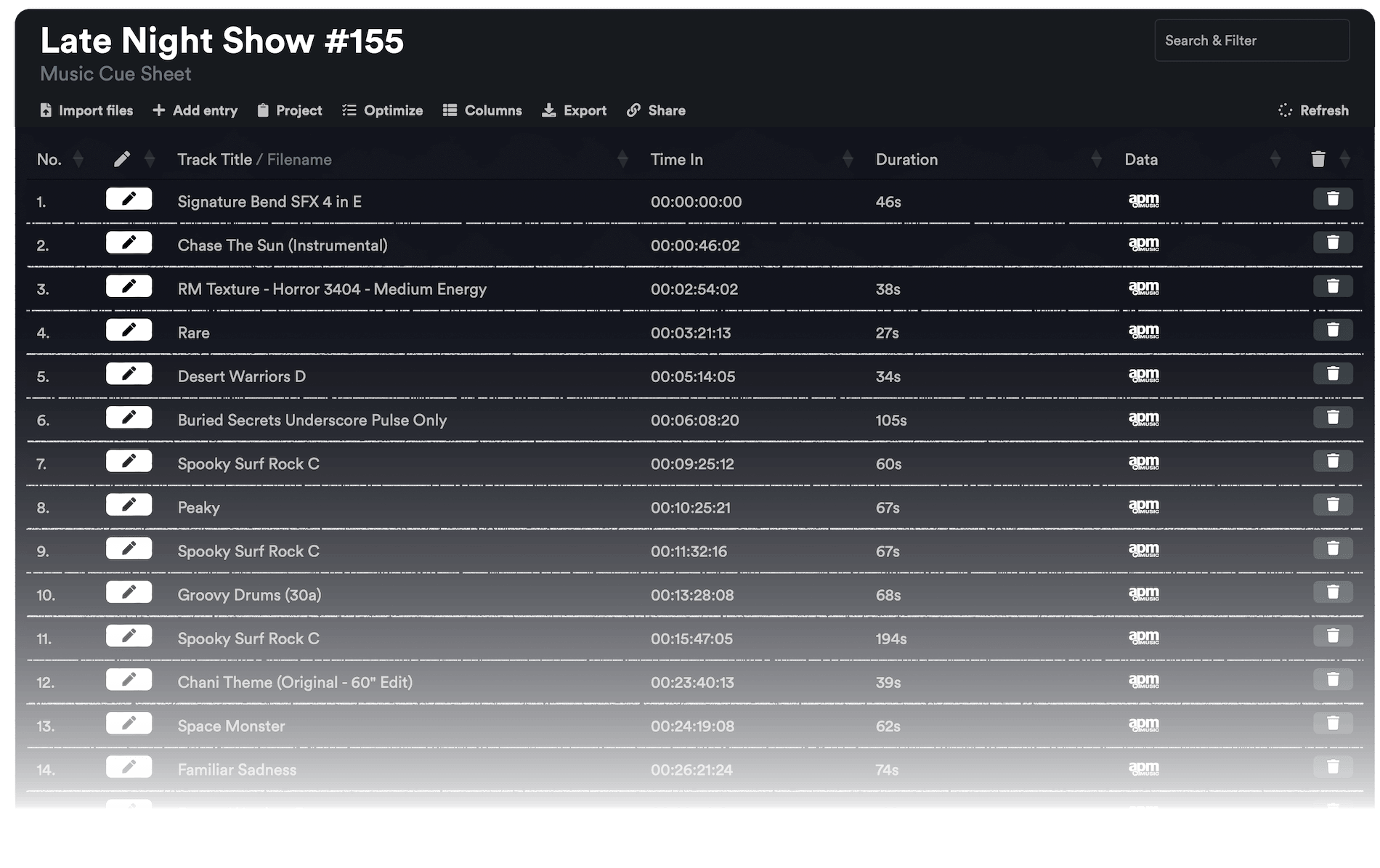
Generátor cue sheetů rychle vygeneruje jednoduchý seznam všech hudebních stop použitých v projektu. Nástroj dokáže načíst sekvence z aplikací Media Composer, Premiere Pro, Resolve a Final Cut Pro. Sloučí více stop a odstraní neviditelné střihy, abyste měli čistý seznam. Na základě názvů souborů lze do cue listu také automaticky přidat metadata hudebních stop, pokud pocházejí z některé z našich partnerských knihoven. Export lze přizpůsobit pomocí předvoleb a exportovat do mnoha různých formátů včetně CSV, XLSX a PDF.

Jaké formáty souborů mohu nahrát?

  • EDL - Edit Decision List (.edl)
  • XML - Final Cut 7 XML (.xml)
  • XML - Extensible Markup Language (.xml) (Avid Media Composer)
  • TXT - Avid Pro Tools TXT -> Informace o relaci jako text (.txt)
  • FCPXML - Final Cut Pro X (.fcpxml)
  • CSV (comma or semicolon separated) (.csv)
  • AAF - Advanced Authoring Format (.aaf) → only in our Cue Sheet Manager for Pro Users

Scan production music libraries for metadata

By partnering with over 20 production music libraries, the tool is able to automatically pull metadata for tracks from these libraries. The metadata contains not only the track name and artist but also details about the label, publisher, composer details, and shares. Please note that the available metadata depends on the library.

Podívejte se na hudbu z knihoven, které s námi spolupracují, a usnadněte si práci použitím skladeb z těchto knihoven.


Chybí vám knihovna nebo pracujete pro hudební knihovnu? Kontaktujte nás a staňte se partnerem, aby mohli vaši zákazníci využívat náš nástroj. Stát se partnerem je jednoduchý a přímočarý proces.

Metadata budou přidána pomocí názvů souborů. Abyste měli jistotu, že budou rozpoznány všechny skladby, neměli byste soubory po stažení přejmenovávat. Za správnost údajů nepřebíráme žádnou právní odpovědnost. Správnost cue listu jste povinni zkontrolovat sami.
The workflow in detail

Learn how this cue sheet tool works.

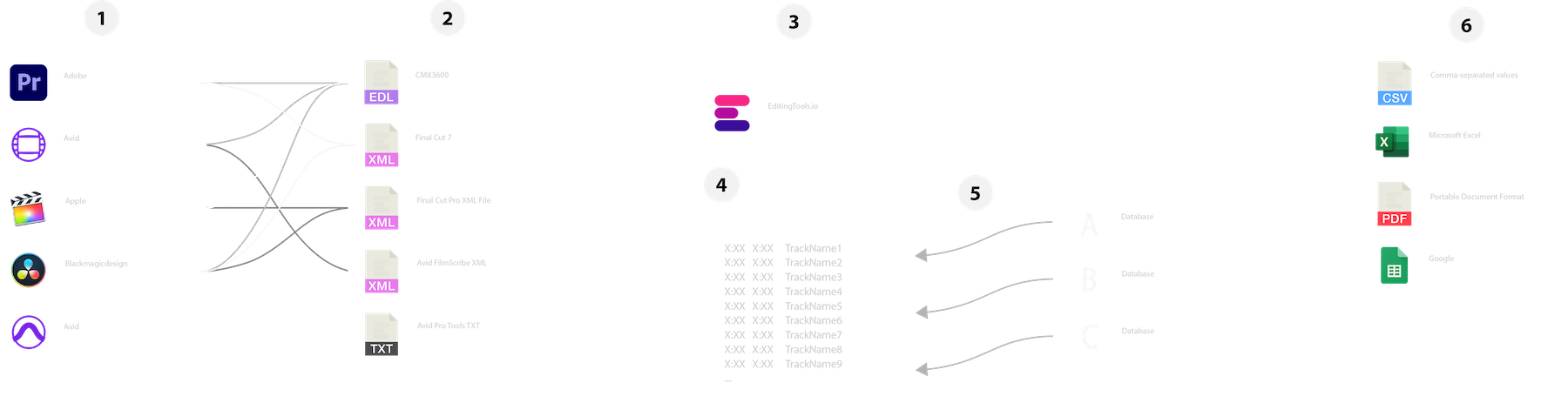
There are 6 simple steps you can follow to get the best workflow results:

  1. Prepare the sequence for which you want to create a cue sheet. It is best to make a copy and clean up the tracks, removing clips that do not belong there. It is a good idea to collect all the cues on 2 or 3 tracks and export only those tracks.
  2. Depending on the software you are using, you can export an EDL, XML or ProTools Session TXT. If you are using Adobe Premiere Pro or DaVinci Resolve, we recommend that you export a Final Cut 7 XML.
  3. Upload your sequence to our Music Cue Sheet Tool and choose your desired settings. The tool will analyze your sequence and create a sorted track list.
  4. The track list calculates the duration of each clip. Depending on your settings, similar clips are grouped together.
  5. If you enable the "Include metadata from music libraries" option and select the libraries from which you used music, the tool will check for additional metadata in those libraries. The information is pulled from data provided directly by our library partners via API or shared database. This includes information about the music album, the composer and artist up to library codes and label names.
  6. Once all the information is collected, it is exported to the file format of your choice. The recommended export format is CSV, which contains all the data you need and can be easily edited using Excel, Numbers, or Google Sheets.

Ukázkové soubory

Vyzkoušejte si nápovědní list s našimi ukázkovými soubory:

Připravte si sekvenci

Před nahráním sekvence doporučujeme provést její rychlou přípravu. Nejlépe tak učiníte duplikováním sekvence a odstraněním všech nepotřebných zvukových a obrazových stop, které nechcete mít v cue listu. Je také důležité srovnat všechny stopy v případě, že používáte zabalené/vložené zvukové klipy. Také odstraňte "Efekty zvukových přechodů" pro případ, že nástroj selže.

Sloučení překrývajících se stejných klipů

Pokud je tato možnost povolena, klipy, které jsou v sekvenci rozděleny na více částí, se automaticky sloučí do jediného záznamu, pokud mezi nimi není žádný zlom. Pokud nástroj najde stejný klip ve více stopách, budou rovněž sloučeny a zobrazeny jako jedna položka.

Pomocí úchytů rámečků můžete najít a sloučit stejné klipy.

Tuto možnost použijte ke spojení klipů, i když je mezi nimi mezera. Můžete definovat rozsah 1 až 500 snímků, které mají být pokryty. Pokud nástroj najde stejný klip na více stopách, budou rovněž sloučeny a zobrazeny jako jedna položka.

Předvolby

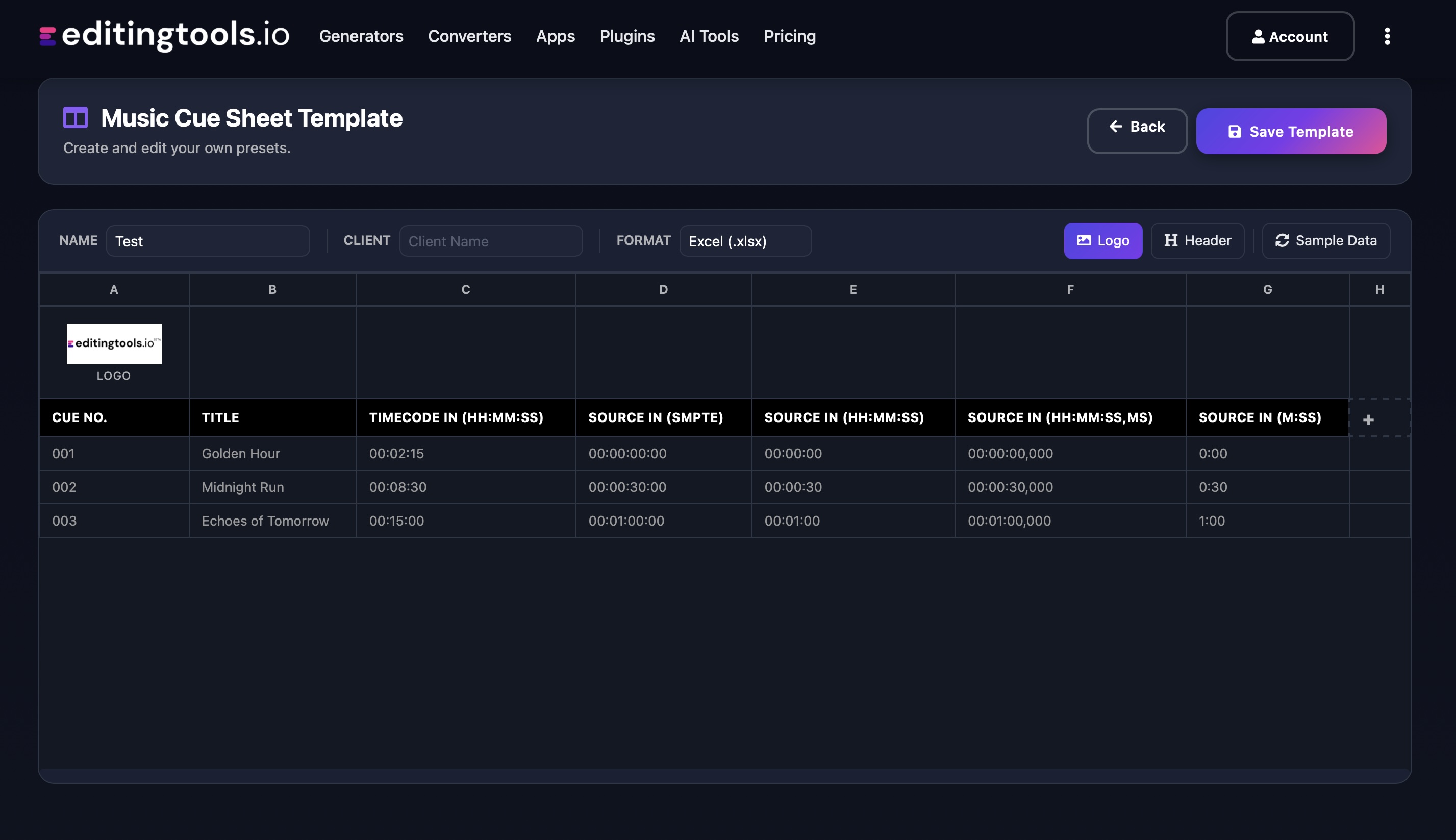
Sloupce v exportních souborech si můžete přizpůsobit. Vyberte si z několika veřejných šablon nebo si stisknutím znaménka "+" vytvořte vlastní předvolbu. Existuje nespočet možností zobrazení časových kódů, délek a jednotlivých metadat. Pro uložení předvoleb musíte být přihlášeni.

Need more? Check out our Music Cue Sheet Manager.

Key Features

  • Compatible with Media Composer, Pro Tools, Premiere Pro, Resolve, FCP and other editing software.
  • Merge tracks and remove invisible cuts automatically
  • Auto-fill metadata for over 15M+ tracks from 20+ partner libraries
  • Build and integrate your own metadata database
  • Customizable exports (CSV, Excel, CISAC & APRA)

Add metadata to your personal EditingTools database or library

Our tool supports a list of default values that can be added to the search database, which are explained below. Not all values are mandatory. Additional columns are possible.

NameTypeDescription
file_nameString (max. 200 characters)Filename up to 200 characters. If a filename is longer, it is truncated. If there are several variations of a file name, they can be listed in a column file_name_2, file_name_3, ...
track_titleString (max. 200 characters)Name of track
track_numberIntTrack number within the album.
track_durationIntTrack duration in seconds.
track_codeString (max. 100 characters)Optional track code (can include numbers and letters).
track_idIntA unique database track ID, must be numeric. Optional.
artistString (max. 200 characters)This is an optional artist name. If this value is empty, most cue sheets will automatically use the composer's values.
composerString (max. 200 characters)Composer Name. Multiple composers can be separated by a semicolon, e.g. "John Doe; John Smith".
composer_societyString (max. 200 characters)Name of the Composer Society. If a track has multiple composers, use semicolons to separate the societies.
composer_numberString (max. 200 characters)Number of the Composer. If a track has multiple composers, use semicolons to separate the number.
composer_shareString (max. 200 characters)Share of the Composer. If a track has multiple composers, use semicolons to separate the shares. Value between 1 and 100.
ownerString (max. 200 characters)
publisher
publisher_name
String (max. 200 characters)Publisher Name. Multiple publishers can be separated by a semicolon, e.g. "Pub1;Pub2".
publisher_societyString (max. 200 characters)Name of the Publisher Society. If a track has multiple publishers, use semicolons to separate the societies.
publisher_numberString (max. 200 characters)Number of the Publisher. If a track has multiple publishers, use semicolons to separate the number.
album_titleString (max. 200 characters)
album_catalog_numberInt
album_catalog_codeString (max. 200 characters)
album_release_dateDate (YYYY-MM-DD)Album release date. Leave blank if unknown.
album_disk_numberIntOptional disk number of the album.
album_total_discsString (max. 200 characters)Total number of disks in an album.
label_nameString (max. 200 characters)Name of the label.
label_codeIntLabel code, without "LC".
isrcString (max. 100 characters)
iswcString (max. 100 characters)
eanString (max. 100 characters)
upcString (max. 100 characters)
gemaString (max. 100 characters)
catalog_nameString (max. 200 characters)Name of the catalog/library the track is in.
bpmInt
genreString (max. 200 characters)

Rychlí průvodci

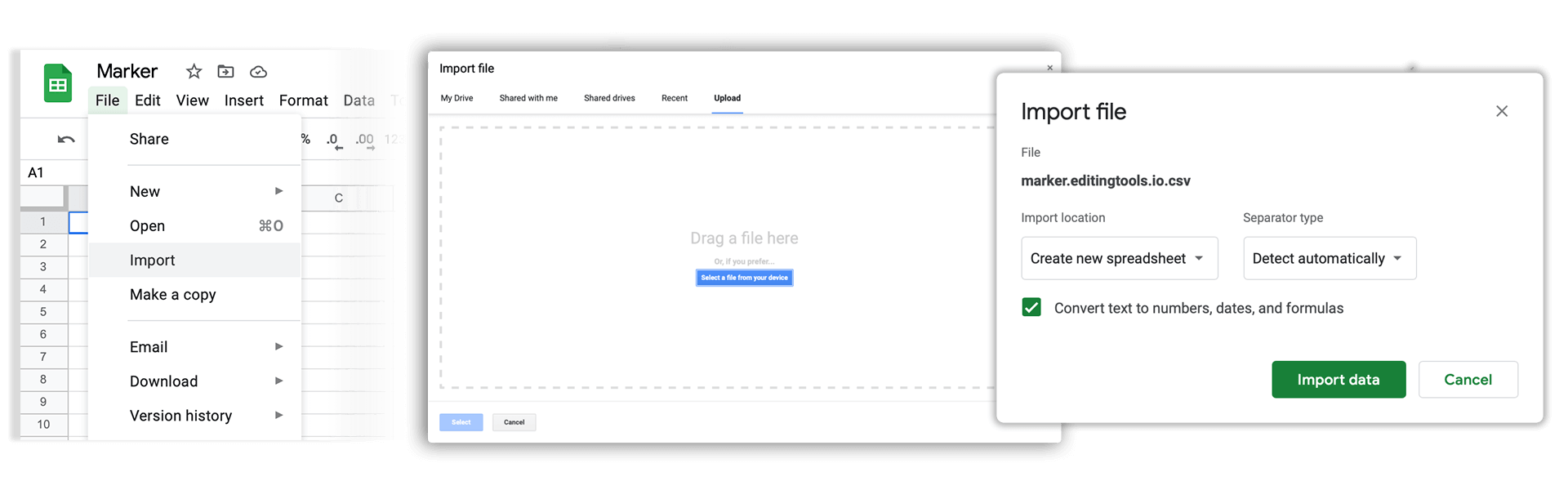
How do I import a csv file into Google Sheets?

Open Google Sheets and go to "File → Import". Upload the generated CSV file and press "Import Data" to generate a Sheet.

How do I import a csv file into Apple Numbers?

Open Numbers and go to "File → Open". Simply open the CSV file.

Podpora

Máte-li jakékoli dotazy nebo požadavky na funkce, obraťte se na náš tým podpory. Rádi vám pomůžeme!

ČASTO KLADENÉ DOTAZY

No, you still need to send out the final cue sheet. This tool will only help you to create them more quickly.

In order to upload AAF files, you will need a PRO account and to use our Cue Sheet Manager.

Our Cue Sheet Manager allows to edit entries.

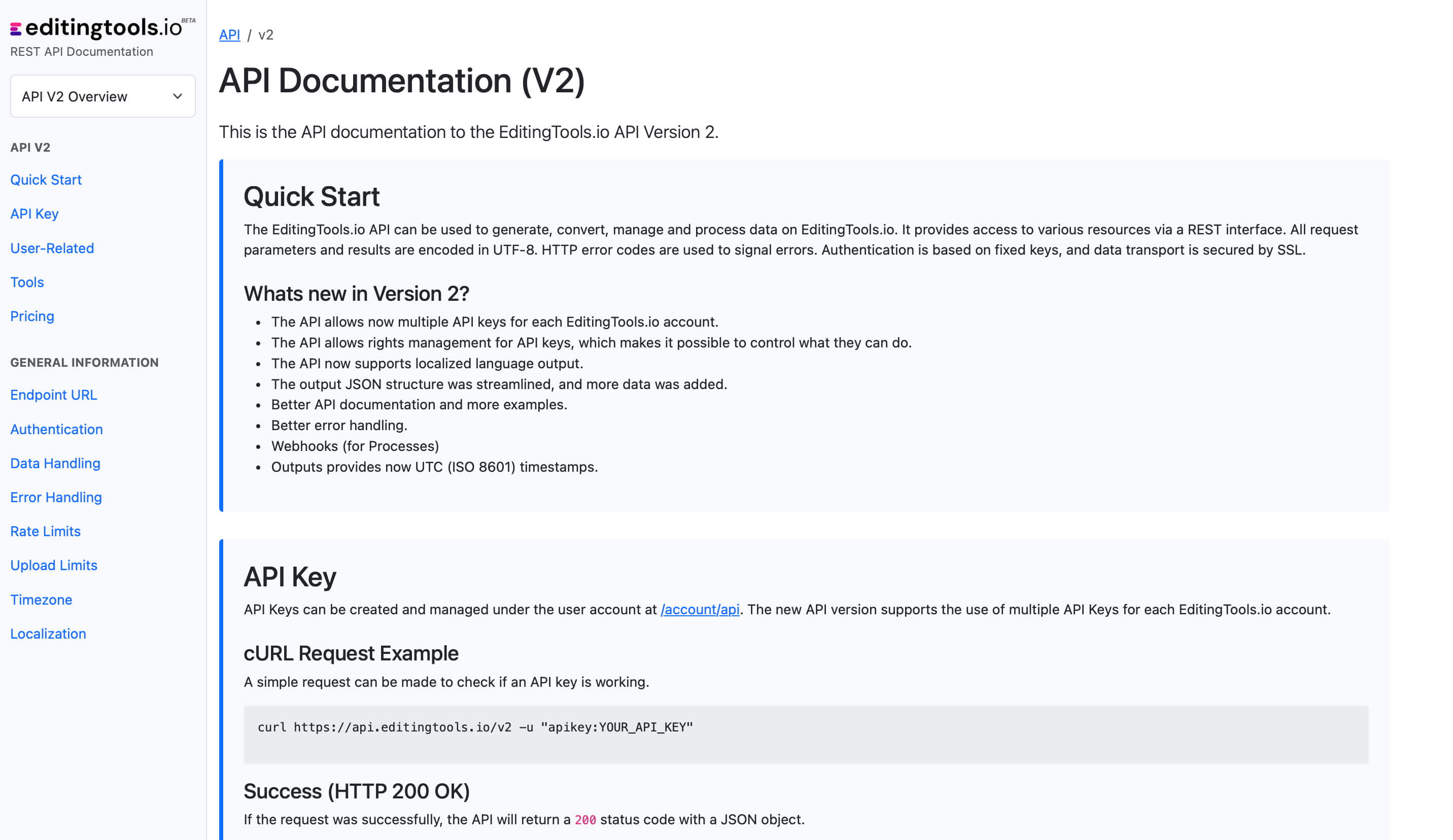
Automatizujte své pracovní postupy pomocí našeho rozhraní API

Ať už jste vývojář, nebo jen chcete automatizovat další procesy pomocí nástrojů, jako je Zapier nebo Make, můžete tento nástroj snadno integrovat do svých pracovních postupů pomocí našeho rozhraní API. Více informací o integraci rozhraní REST API najdete v naší dokumentaci API.

Dokumentace API