1. Use the "Převodník značek" to convert a CSV file into a Final Cut 7 XML marker file
Open the free Převodník značek, select "CSV" and set "convert" to "Adobe Premiere Pro > Sequence (.xml)". Generate and download the file. Pokud máte s převodem souboru problémy, můžete kontaktovat bezplatnou podporu.
2. Import the Final Cut 7 XML marker file into Adobe Premiere Pro
To import timeline markers, go to "File -> Import" and select the XML file.
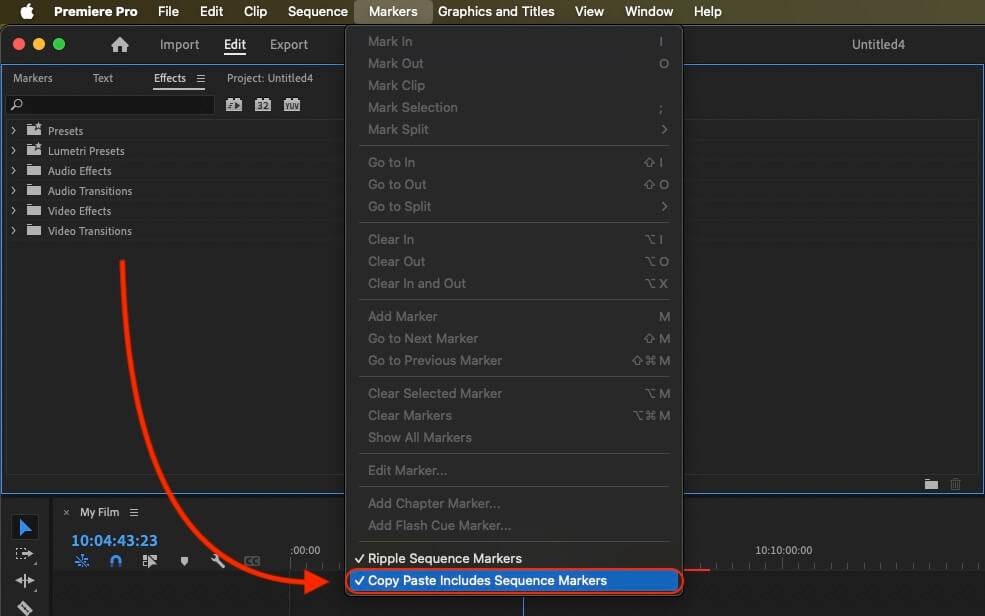
If you want to copy these markers into the existing sequence, use the adjustment layer or any other video as placeholder. Then copy the clip and switch to your existing sequence. Move the cursor to the location, where the adjusmtent layer or first marker appeared in the other sequence. Then past it. It will only copy the timeline markers if under setting (in the Markers menu) the option "Copy Paste Includes Sequence Markers" is active.
🚀 Hotovo
To je zatím vše! Pokud vám byl tento návod užitečný, sdílejte jej prosím a podpořte nás. Pokud máte návrhy, jak bychom mohli workflow vylepšit, dejte nám prosím vědět!